
Internet Explorer 10 and SharePoint 2010
If you use Windows 7 or Windows 8, you may notice Internet Explorer 10 (IE10) is out. While we haven’t seen too many browsing issues, I ran into problems today with SharePoint 2010.
What works
- Casual browsing
- Opening documents
- Editing documents
- Viewing calendar entries
What doesn’t work
- Adding or editing calendar entries
- Uploading documents
- Adding or editing tasks
- Pretty much any site management function
It appears IE 10 wasn’t handling compatibility mode correctly (for a detailed explanation checkout Cory Peters blog here). While this is great for security, it sure makes it a pain for for the unwary. Fortunately there’s an easy work-around.
Open Internet Explorer and navigate to your SharePoint site.
Press the “ALT” key to show the File menu, and click “Tools”.
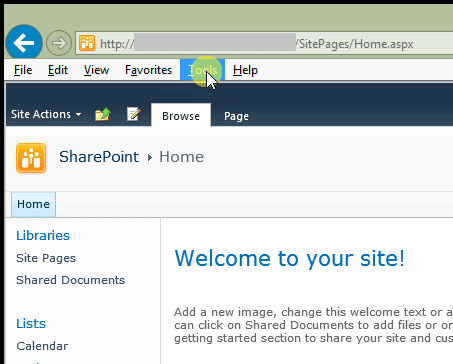
Select “Compatibility View Settings”.

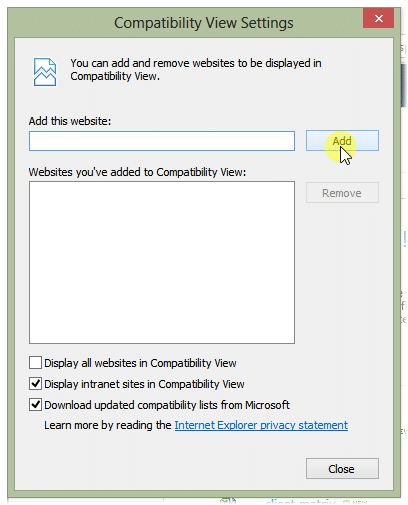
In the box type in the URL of your SharePoint site, click “Add”, and “Close”.
Now you can get back to work.